Make your own › Nonograms › Guide
Make your own nonogram game
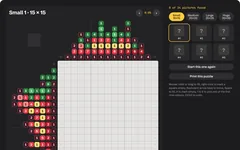
You don't need to know how to code. You describe each part to a free AI assistant such as Claude, ChatGPT or Gemini, paste what it writes into a file, and open it in your browser. Want to see the finished one first? Try the nonogram game.
 Try the finished nonogram game →
Your own nonogram game
You'll describe it to a free AI assistant, paste what it writes into a file, and open it in your browser. No coding needed. The fun part is drawing your own pictures as rows of letters. The AI works out every clue for you.
Build it in five steps
Step 1 gives you a simple black-and-white version that works, and each step after it adds more. Yours will look a bit different from the one above, because the AI writes its own version each time.
Ask for a playable grid
Start with one small black-and-white picture, so you can check the clues and clicking work. Copy this prompt into your AI assistant:
Copy this promptI don't know how to code. Please make me a nonogram (picture logic puzzle) game that runs in a web browser. Requirements: - ONE single HTML file (HTML, CSS and JavaScript together), no external libraries, no internet needed. I will save it and double-click it. - Store the picture in the code as rows of text, where "#" is a filled square and "." is empty. Start with a 10 by 10 picture of a heart. - Work out the clues from the picture: for each row and column, the lengths of each run of filled squares, in order. Show row clues on the left and column clues on top. An empty line shows 0. - Click a square to fill it in black, click again to clear it. Right-click marks it with an X. - Draw thicker lines every 5 squares. - When every row and column matches its clues, show "Solved!". Please give me the complete file in one code block, then tell me in simple steps how to save and open it.
Copy the code, paste it into your text editor and save it as nonogram.html. Double-click it and try to solve the heart.
Make it work on phones, with dragging
Clicking one square at a time gets slow. Dragging along a row is much nicer, and it makes the game work on a touch screen.
Copy this promptThat works, thank you. Please make filling faster and phone-friendly: - Use pointer events, so it works with a mouse, a finger or a pen. Set touch-action: none on the grid so the page doesn't scroll while I drag. - Press a square and drag to fill a straight line. Lock the line to the row or column I start moving along. - If the first square I press is already filled, the drag clears squares instead. - Add buttons under the grid to switch between "Fill" and "X", for phones that can't right-click. - Highlight the row and column under the pointer, and fade a clue out when its line is finished. - Add an Undo button: one drag is one step. Send me the complete updated file.
Always ask for the complete file. Replace everything in nonogram.html, save, and refresh the tab (F5 or Cmd+R).Add colour
Colour nonograms look far better, and the colours give you extra clues.
Copy this promptPlease change it to colour pictures: - Each picture has a palette, for example { r: "#E63946", g: "#3E9B4F", y: "#FFD166" }, and its rows use those letters, with "." for empty. - Each clue number now sits in a little rounded square of its colour, with white or dark text depending on which is easier to read. - The rule changes: blocks of the same colour need a gap between them, but blocks of different colours can touch. Make the solved check follow that. - Show a row of colour buttons under the grid, plus the X button. The number keys 1 to 9 pick a colour. - Replace the heart with a 10 by 10 strawberry: red berry, green leaves on top and yellow seeds. Send me the complete updated file.To draw your own picture, type it as rows of letters in the chat and say "use this picture instead". Keep every row the same length.Add more pictures and a picker
Now turn it into a real game with lots of pictures to find.
Copy this promptPlease add: - Five more pictures of your choice, in sizes 10 by 10 and 15 by 15, each with 3 to 5 colours. Draw them carefully so they look good, with darker shading on one side. - A picker beside the grid showing a card for each picture. Unsolved pictures show a question mark; solved ones show the little picture and its name. - A timer that pauses when I switch tabs, and saving in localStorage, so my progress on every picture is kept when I close the page. - When I solve one, make the grid lines fade away, show the picture's name and a "Next picture" button. Send me the complete updated file.
Some pictures can be solved in more than one way. If a picture has two answers, change a square or two and ask the AI to check it again (see Quick fixes).Add hints and a reveal
Finally, help for anyone who gets stuck, and a way to peek at the answer.
Copy this promptPlease add: - A "Check" button that makes any wrong squares flash red. - A "Hint" button. Write a line solver: for one row or column, try every way the clue's blocks could fit around the squares already known, and find the squares that are the same in every way. The hint fills one of those squares and says which row or column proves it. - A "Reveal" button that needs a double-click (or two quick taps), so it isn't pressed by accident. It shows the finished picture on top of the grid with "Hide it and keep solving" and "Fill it in for me" buttons. Send me the complete updated file.
Quick fixes
A picture can be solved in two ways
Ask the AI: "Use the line solver to solve each picture from its clues alone, and print to the console any picture it can't finish, with the squares it isn't sure about." Then change one of those squares in your picture.
The page scrolls when I drag on my phone
Ask the AI to "add touch-action: none to the grid and call preventDefault in the pointerdown handler".
Fast drags skip squares
Ask the AI to "fill every square in a straight line from where the drag started to the square under the pointer, instead of only the square under the pointer".
Clues don't fit on a big grid
Ask the AI to "size the squares to fit the screen width, counting the clue area too, but never smaller than 17 pixels; if it still doesn't fit, let the board scroll sideways".
It opens as text
Re-save as plain text with exactly .html at the end, not .txt.
Twist it into something else
Draw-your-own nonogram
paint a picture on an empty grid, then share a link that turns it into a puzzle for a friend
Photo to nonogram
shrink a photo to 15 by 15 squares and five colours, then play it as a puzzle
Daily picture
a new picture for everyone each day, picked from the date
Classroom spelling grid
pictures that reveal this week's spelling words, letter by letter
Mega puzzle
a 40 by 40 picture split into tiles, solved one tile at a time
Puzzle book
print a pack of ten puzzles with the answers at the back