Make your own › Maze generator › Guide
Make your own maze generator
You don't need to know how to code. You describe each part to a free AI assistant such as Claude, ChatGPT or Gemini, paste what it writes into a file, and open it in your browser. Want to see the finished one first? Try the maze generator.
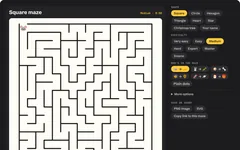 Try the finished maze generator →
Your own maze generator
You'll describe it to a free AI assistant, paste what it writes into a file, and open it in your browser. No coding needed.
Build it in five steps
Step 1 gives you a simple version that works, and each step after it adds more. Yours will look a bit different from the one above, because the AI writes its own version each time.
Ask for the maze generator
Copy this prompt into your AI assistant:
Copy this promptI don't know how to code. Please make me a maze generator that runs in a web browser. Requirements: - ONE single HTML file (HTML, CSS and JavaScript together), no external libraries, no internet needed. I will save it and double-click it. - Draw a square maze as an SVG picture, with dark walls on a white background. - Make the maze with the "depth-first search" (recursive backtracker) method, so every square can be reached and there is exactly one way through. - Buttons for the size: Easy (10 by 10), Medium (16 by 16) and Hard (26 by 26), and a "New maze" button. - Leave a gap in the top-left wall for the start and in the bottom-right wall for the finish. Please give me the complete file in one code block, then tell me in simple steps how to save and open it.
Copy the code, paste it into your text editor and save it as maze.html. Double-click it and press New maze a few times.
Make it playable
Copy this promptThat works, thank you. Please make it playable: - Put a mouse emoji at the start and a cheese emoji at the finish. - Let me drag along the paths with my finger or mouse, drawing a pink line behind me. I can only move through gaps, never through walls. Going back over my line rubs it out. - The arrow keys move one square at a time too. - Stop the page scrolling while I drag on the maze on a phone. - Start a timer on the first move, and when I reach the cheese show "You made it in 0:42!". Send me the complete updated file.
Always ask for the complete file. Replace everything in maze.html, save, and refresh the tab (F5 or Cmd+R).Add the solution and printing
Copy this promptPlease add: - A "Solution" button that draws the way through in green, and hides it again. - A "Print" button that prints the maze in black and white, as big as fits on one A4 page, with a title and a "Name: ____" line, then the same maze with the solution on a second page. Send me the complete updated file.
Add circle and heart shapes
Copy this promptPlease add a Shape choice: - Square (what we have now). - Circle: rings of rooms around a centre room, with more rooms in the outer rings so they stay about the same size. Start at the outside and finish in the middle. - Heart and Star: draw the shape on a hidden canvas, keep only the squares whose middle is inside the shape, and make the maze in those. Make the maze code work on a list of rooms and which rooms are next to each other, so every shape uses the same maze-making and playing code. Send me the complete updated file.
This is the hardest step. If a shape comes out broken, paste the problem back to the AI in plain words, such as "the circle maze has walls missing in the middle ring".Add a name maze and a dark mode
Copy this promptPlease add: - A "Your name" shape: type a name, draw it in big bold capitals on the hidden canvas with a bar along the bottom that joins the letters up, and make the maze inside the letters. - A "Play in the dark" switch where you can only see the maze in a small circle of torchlight around you. - A choice of "Long and winding" paths or "Lots of dead ends" (grow the maze from a random room instead of the newest one). Send me the complete updated file.
Quick fixes
Some parts of the maze can't be reached
Ask the AI: "Make sure the maze-making keeps going until every room has been visited, and only knocks down walls between a visited room and an unvisited one."
The page scrolls when I drag on a phone
Ask the AI to "add touch-action: none to the maze and stop the default action on pointerdown".
My line jumps through walls
Ask the AI to "only allow a move to a room that's joined to the current one with no wall between, and if I move fast, follow the maze's own paths to catch up".
The printed maze is blurry
Draw the maze as an SVG, not a canvas picture, so it stays sharp at any size. Ask the AI to "draw the walls as one SVG path".
It opens as text
Re-save as plain text with exactly .html at the end, not .txt.
Twist it into something else
Two-player race
the same maze side by side, arrow keys against WASD
Keys and doors
pick up a key to open a locked door on the way
Collect the stars
grab every star before the exit opens
3D maze
walk through it in first person, like an old computer game
Daily maze
a new maze each day, the same for everyone, with best times
Party bag mazes
a name maze for every guest, printed on one sheet