Beginner guides › Can AI build a game?
Can AI really build a working game? We tested it
Yes. We pasted our own guide prompts into an AI one at a time, with no fixing allowed, and every step of a Snake game and a full beat maker worked first time, even with a small, fast model like the ones on free plans. Here's exactly how we tested, what came out, and the finished files so you can play them yourself.
Yes, if you follow every step
An AI assistant can build a working browser game or music tool from plain-English instructions, without you writing any code. The key is to build it in stages: a simple version first, then one feature at a time. That's how every guide on this site is written, so we checked whether our own prompts really deliver.
Like a visitor, with no help
- Two guides: the Snake game (7 steps, a starter project) and the beat maker (6 steps, one of our biggest projects).
- Two sizes of AI model: a small, fast Claude model, similar to what free plans give you, and a mid-size Claude model.
- One go per step: each prompt was pasted once, in order, exactly as written in the guide. The AI couldn't run its code, and nobody fixed anything between steps.
- Played in a browser: we opened the result of every step and checked each feature the prompt asked for, including the WAV and MIDI downloads.
19 steps, 19 working first time
| Project | AI model | Worked first time | What the finished version had |
|---|---|---|---|
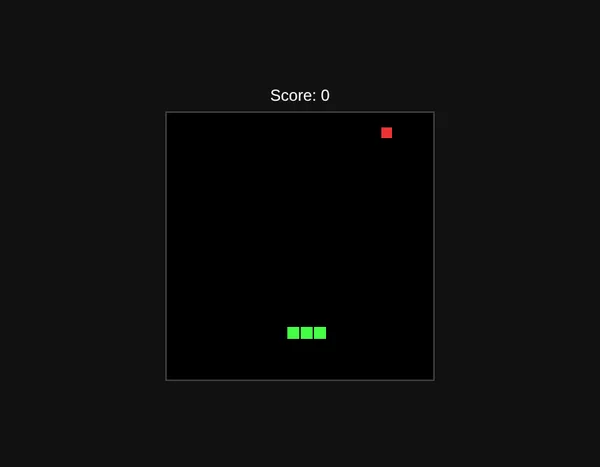
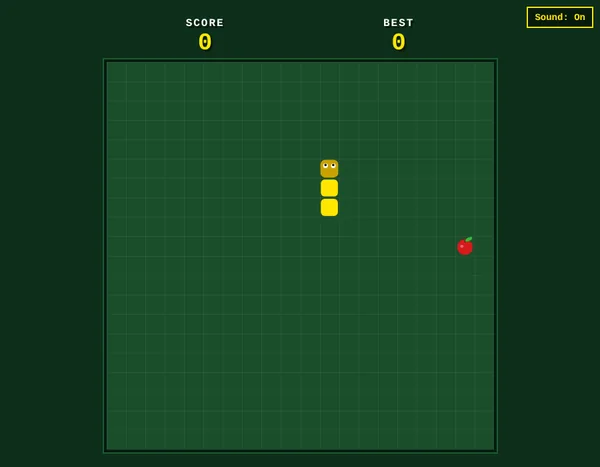
| Snake game | Small, fast | 7 of 7 steps | A snake with eyes, an apple, a high score that remembers, speed-up, pause, sound and phone swipes |
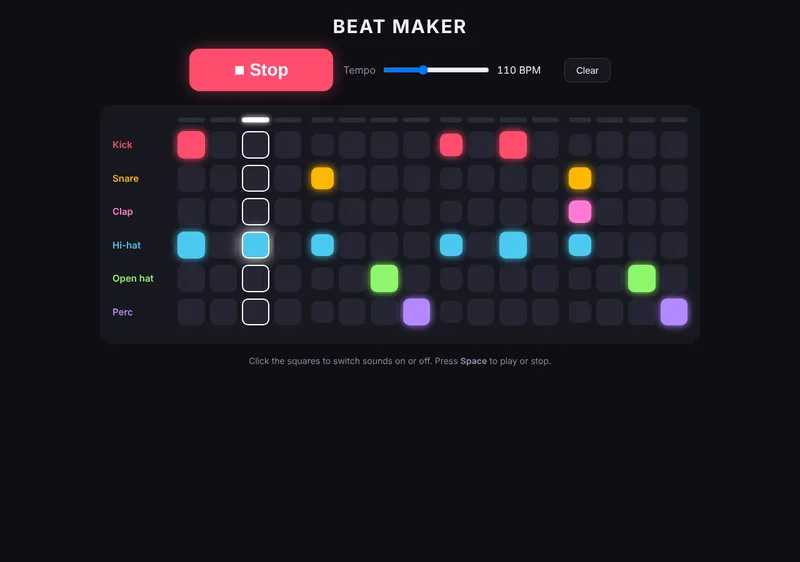
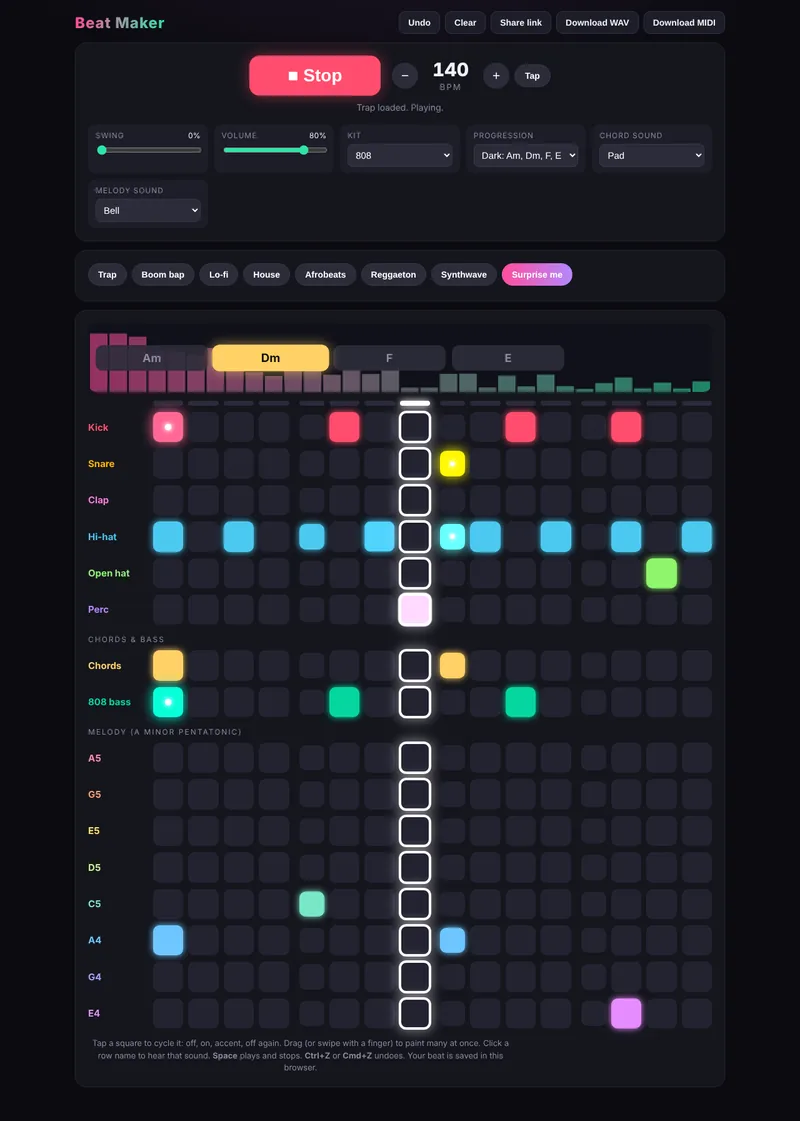
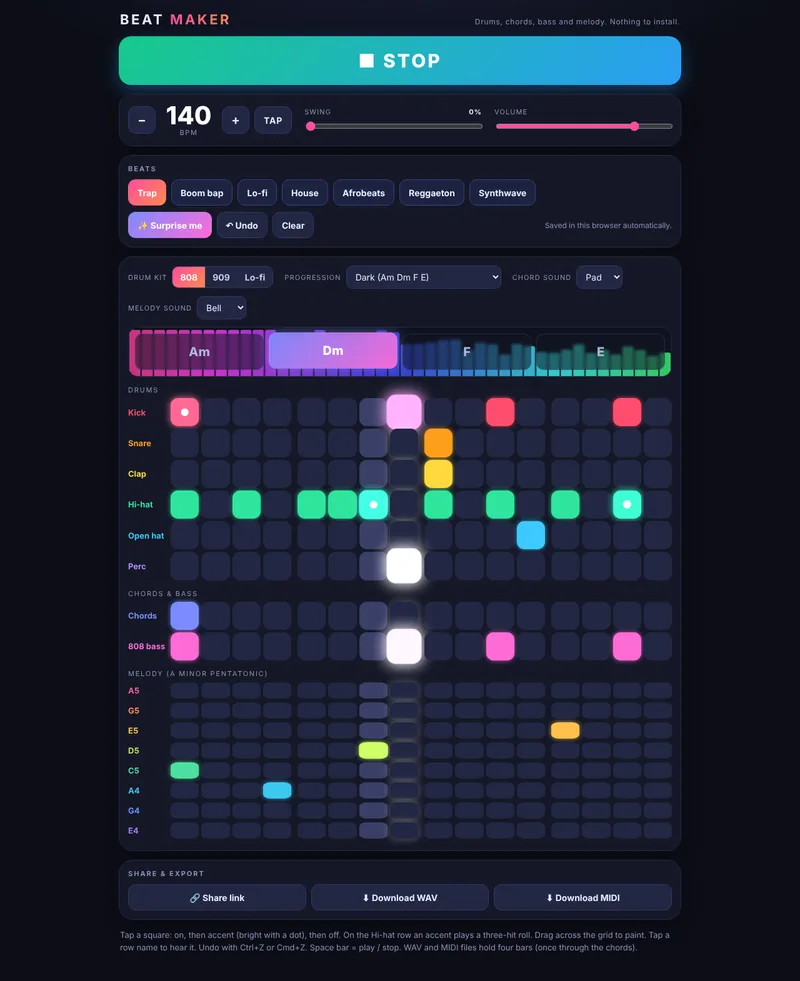
| Beat maker | Small, fast | 6 of 6 steps | Drums, chords and 808 bass, melody rows, 7 style presets, undo, share links, and WAV and MIDI download |
| Beat maker | Mid-size | 6 of 6 steps | The same features, with a different, equally polished design |
The Snake game came out very close to our demo. Both beat makers matched our demo feature for feature, and the downloads produced real WAV and MIDI files.
The first step versus the last
What this test doesn't cover
- Other AI assistants. We used Claude models. We haven't yet run the same test on ChatGPT or Gemini, though our guides are written for all three.
- How the beats sound. We checked that everything plays and exports, not whether the music is good.
- Every guide. We tested two of our projects. Starter projects like these are the safest bet. The biggest ones, like the fluid simulation, push free plans harder.
- Luck. AI answers vary each time, so one run per model is a good sign, not a guarantee. If a step goes wrong, each guide's "Quick fixes" section shows you what to say.
What this means for you
- Follow every step. Step 1 is plain on purpose. The good stuff arrives in the later steps.
- A free plan is fine for starter projects. The small model did everything we asked.
- For the biggest projects, pick the strongest model you're offered, because the code gets long and smaller models can cut replies short.
- Save a copy after each step (snake-v1.html, snake-v2.html), so a bad step never costs you the last good version.
Questions people ask
Can AI make a game with no coding?
Yes. You describe the game in plain English, the AI writes the code as a single file, and you open that file in your browser. In our test, a Snake game built this way worked at every step without anyone touching the code.
Do I need a paid AI plan?
Not for starter projects. Our test used a small, fast model like the ones free plans offer, and every step worked. For very large projects, a stronger model is less likely to cut its answer short.
How long does it take to make a game with AI?
Our Snake guide takes 20 to 40 minutes from first prompt to finished game. Most of that time is playing each version and pasting the next prompt.