Make your own › Skyjo score sheet › Guide
Make your own Skyjo score sheet
You don't need to know how to code. You describe each part to a free AI assistant such as Claude, ChatGPT or Gemini, paste what it writes into a file, and open it in your browser. Want to see the finished one first? Try the Skyjo score sheet.
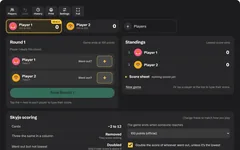 Try the finished Skyjo score sheet →
Your own Skyjo score keeper
You'll describe the score keeper to a free AI assistant, paste what it writes into a file, and open it in your browser. Then add the game's own rules, the winner, saving and printing, one step at a time.
- A score sheet with a column for every player and a row for every round, adding up as you go
- A "went out" button that doubles that player's score when it isn't the lowest, just like the official rules
- A progress bar to 100 for each player, standings with the lowest on top, and a winner when someone reaches 100
- Undo, saving so a closed tab doesn't lose the game, and tap-to-fix for any score
- Printable blank Skyjo score sheets with the rules at the bottom
Good for: families who've filled the little score pad that came in the box, anyone who keeps forgetting the doubling rule, and grandparents who'd rather not add up minus twos.
What you need
Build it in five steps
Step 1 gives you a simple version that works, and each step after it adds more. The score keeper on the Skyjo score sheet page is roughly what you'll have once you've done every step. Yours will look a bit different, because the AI writes its own version each time.
Ask for a simple Skyjo score sheet
Copy this prompt into your AI assistant:
Copy this promptI don't know how to code. Please make me a Skyjo score keeper that runs in a web browser, for my family to use instead of a paper score sheet. Requirements: - ONE single HTML file (HTML, CSS and JavaScript together), no external libraries, no internet needed. I will save it and double-click it. - At the top, a list of players with a name box for each, an "Add player" button (up to 8 players) and a small remove button. Start with two players called "Player 1" and "Player 2". - Below, a score table with one column for each player and a new row for each round. Under each score, show the player's running total in smaller text. - At the end of each round, a big number button next to each player's name. Tapping it opens a number pad (with a minus key, because scores can be below zero) to type their score. A "Save round" button adds the round to the table once everyone has a score. - A "Total" row at the bottom. In Skyjo the LOWEST total wins, so highlight the lowest total. - Big, clear, friendly design with a dark background and buttons big enough to tap on a phone. Please give me the complete file in one code block, then tell me in simple steps how to save and open it.
Copy the code, paste it into your text editor, and save it as skyjo-scores.html. Double-click it, type your family's names and add a couple of rounds.
Add the "went out" doubling rule
This is the rule everyone forgets at the table, so let the page handle it.
Copy this promptThat works, thank you. Please add the Skyjo doubling rule: - Next to each player's score button, a "Went out?" toggle. Only one player can be marked at a time. - When I save the round: if the player who went out does NOT have the strictly lowest score of the round (a tie counts as not lowest), and their score is above 0, double their score. - Show a small "×2" next to doubled scores in the table, and a short message like "Doubled! Sam went out but didn't have the lowest score, so 12 became 24." - A setting to switch the doubling rule off, for families who don't play it. Send me the complete updated file.
Always ask for the complete file. Replace everything in skyjo-scores.html, save, and refresh the tab (F5 or Cmd+R).End the game at 100 and crown the winner
Now it knows when a Skyjo game is over.
Copy this promptPlease add: - A "Standings" list next to the table, sorted from lowest total to highest, with a place number for each player. - A thin progress bar under each player's name showing how close they are to 100. - When anyone's total reaches 100 or more after a round, the game is over: show the winner (the lowest total) or a tie in a big friendly message, with a "Play again" button. - A setting to end the game at 50, 100, 150 or 200 points instead. Send me the complete updated file.
Save the game, add undo, and print score sheets
Someone always types the wrong number, and someone always closes the tab. This step fixes both, and gives you paper sheets for when you'd rather use a pencil.
Copy this promptPlease add saving, undo and printing: - Save the players and the game in localStorage after every change, so refreshing or closing the page doesn't lose anything. Add a note saying "Your game saves in this browser only. Nothing is sent anywhere." and a "Clear saved game" button that asks first. - An "Undo" button that takes back the last change, however many times I press it. Keep a copy of the whole game before each change to make this simple. - Let me tap any score in the table to change it, and work all the totals out again. - A "Print" panel with a choice of "A4" and "US Letter" paper, and buttons to print: 1. A blank score sheet that fills one page, with six player columns (a score and a running total for each), a row for every round, and the scoring rules in a box at the bottom. 2. The game being played right now, with everyone's scores filled in. - When printing, show only the sheet, with no buttons, using a print stylesheet and @page with the right paper size and 10 mm margins. Every sheet must fit on exactly one page. Send me the complete updated file.
Make it look and feel finished
Last of all, the touches that make it nice to pass round the table.
Copy this promptPlease finish it off: - Coloured animal avatars for players, which I can change, and up and down arrows to change the order. - A strip of player cards across the top showing each player's total, with a crown on whoever is winning. - A big celebration with confetti when someone wins, and a "Play again" button that keeps the players. - A "Keep the screen awake" tick box using the Wake Lock API, hidden or greyed out if the browser can't do it. - On a phone, stack everything in one column, make every button at least 44 pixels tall, and let the score table scroll sideways inside its box, never the whole page. Send me the complete updated file.
Quick fixes
It doubles the score when the player was the lowest
Tell the AI: "Only double the went-out player's score if another player scored the same or less that round, and only if their score is above 0. Test it: went out with 5 while others have 8 and 9 should stay 5; went out with 10 while someone has 10 should become 20."
The game doesn't end at 100
Tell the AI: "After every saved round, check every player's total. If any total is 100 or more, end the game, and the lowest total wins."
The game was gone when I opened it again
Saving only works in the same browser on the same device, and private or incognito windows forget everything when they close. If it never saves, tell the AI: "Please save the whole game to localStorage after every change and load it when the page opens."
The printout spills onto a second page or shows the buttons
In the print window, set the scale to 100% (or "Default"), not "Fit to page", and pick the same paper size as the score keeper. If it's still wrong, tell the AI: "When printing, hide everything except the score sheet, and make the sheet a few millimetres shorter than the page so it always fits on one page."
It opens as text
Re-save as plain text with exactly .html at the end, not .txt.
Twist it into something else
Players, rounds, undo, saving and printing work for almost any game with a score pad. Change the first prompt to make:
A Flip 7 score keeper
first to 200 wins, with a bust button for rounds that score nothing
A Uno score keeper
the winner of each hand collects points from everyone else's cards, first to 500
A Five Crowns score keeper
eleven rounds from 3 cards to 13, with the round's wild card shown big
A games night league table
keep every game's winner for the year, with a trophy cabinet
Your rules, your table, no adding up
The score pad in the box runs out, and the doubling rule is easy to forget when everyone is talking at once. Yours knows the rules your family plays, works on any phone or tablet, keeps the game if someone closes the tab, and never sends your scores anywhere. It's also a great first "real" app: buttons, tables, saving and printing, all in one small file you understand.